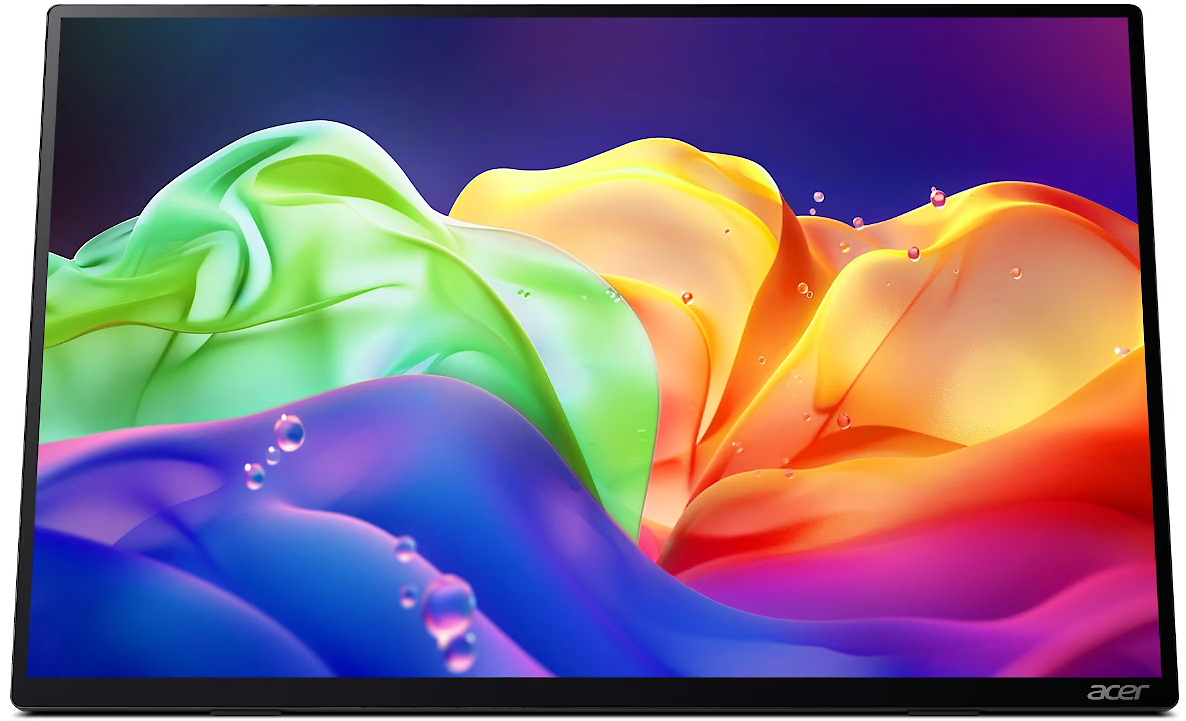
Acer PE160WUT, 16"

Picture may differ from actual product, there can be accessories and parts not supplied with the actual product. This image was created with the help of AI and is for illustrative purposes. The appearance, colours, dimensions, lighting and arrangement of the components may differ from the actual product. The image may include parts and accessories that are not included with the product.
ID: 1441643 Product code: UM.ZP0EE.002
In stock 13 units
Warranty: 2 years
387.20 €
320.00 € w/o VAT
Ready for dispatch
on Thuesday, 01.12.2026
starting from 0 € with VAT
Delivery options
  • Pickup at the Dateks office
    0.00 €
  • DPD Pickup Parcel Cabinet
    Within 1-2 working days
    0.00 €
  • Parcel terminal
    Within 1-2 working days
    0.00 €
  • Post Office
    Within 1-2 working days
    0.00 €
  • Omniva parcel machine
    Within 1-2 working days
    0.00 €
  • SmartPosti parcel terminal
    Within 1-2 working days
    0.00 €
  • Unisend parcel terminal
    Within 1-2 working days
    0.00 €
  • Venipak parcel locker or pickup point
    Within 1-2 working days
    0.00 €
  • Delivery throughout Latvia
    Within 1-2 working days
    4.99 €
Main product parameters All parameters
  • Curved: None
  • Panel Type: OLED
  • Refresh rate: 120 Hz
  • Response time: 1ms
  • Contrast ratio: 100000:1
  • Brightness: 350cd/m2
  • Size: 16"
  • Resolution: 2880x1800
Description

The monitor Acer PE160WUT, 16" with 2880x1800 resolution is designed for professionals who appreciate maximum precision in detail. It provides high-quality color calibration, well-considered connectivity solutions, and ergonomic design, creating ideal conditions for working with visual projects.

Thanks to independent pixel illumination, the OLED display shows smoother colors and reduces motion blur. This provides a realistic image for watching movies, editing photos, and dynamic applications.

This monitor with a refresh rate of 120 Hz ensures more frequent frame renewals, which improves the visibility of fast motion. This mode reduces image latency and minimizes artifacts that occur during rapid movement. It is suitable for tasks that require precise visual information at an increased refresh rate.

Flicker-Free reduces the frequency flickering common to some brightness adjustment methods. This reduces visual stress and ensures a smooth, pleasant image for the eyes. The technology is particularly useful for working in darker rooms and during prolonged viewing sessions.

The Tilt function ensures flexible adjustment of the panel's vertical tilt, allowing for precise adaptation of the screen to the working position. This reduces the risk of discomfort during prolonged use, maintains an optimal viewing angle, and helps avoid image distortion in various lighting conditions.

VESA wall mount allows you to install a monitor on the wall, adhering to a uniform industrial standard. It facilitates the choice of mount, increases the flexibility of workspace organization, and allows you to adjust the height and angle of placement, regardless of the desk or tripod.

Built-in speakers provide sound playback without having to connect separate acoustic systems, reducing the amount of equipment in the workplace. They provide basic audio signals for video conferencing, system announcements, and multimedia. This solution enhances convenience and reduces the number of additional cables.

HDMI uses a single cable connection for video and audio transmission, ensuring a stable signal and minimal losses. Such an interface simplifies connection and reduces the possibility of synchronization errors. HDMI is compatible with a majority of modern devices and ensures reliable operation in various configurations.

The presence of USB-C allows for the transmission of image, sound, and power through a single universal port, simplifying the working environment. The connection ensures high data transfer speed and compatibility with modern laptops, reducing the number of cables needed for daily work or mobile use.

Multiple USB-C ports expand monitor functions when using modern digital devices. Each port provides power, signal, and data transmission through a single cable, reducing the complexity of the connection. This allows for simultaneous use of various devices and optimal cable placement.

USB-C video input ensures the transmission of video and audio signals through a single cable, simplifying the connection and reducing the number of wires. The connector supports modern data transmission protocols and ensures a stable signal. It improves the monitor's compatibility with a wide range of modern devices.

Warranty

Acer provides this model with a 2 year warranty at all certified service centres.
All parameters
Model : PE160WUT
Display characteristics
AMD FreeSync : None
Curved : None
NVIDIA G-SYNC : None
Panel Type OLED

Teh monitor panel is the main feature of the visible part of the screen or the technology where the display of the colour dots (pixels) is implemented.

TN is the standard technology with average contract, brightness and colour compliance indices.

IPS is the matrix with high colour compliance and good response speed, therefore it is well suited for graphics tasks and photo editing. IPS matrix provide an excellent viewing angle maintaining the colours and contrast from almost any angle.

VA matrix ensures superior colour compliance, however, the response time of this matrix is lagging behind that of the IPS and TN; the viewing angle is somewhere between both these technologies.

The TN type monitor is fully sufficient for an average user. If you have more money available the VA or IPS can be chosen.

Refresh rate : 120 Hz
Touchscreen : NO
VESA DisplayHDR : There isn't
Response time 1ms
The response time of the monitor screen determines how fast the monitor will display moving images (films, games, animations, etc.). The response time is measured in miliseconds. The less the response time the better the ability of the monitor to display moving images.
www.vornuqxalize.online recommends to buy monitors with 5ms response time or lower.
Contrast ratio 100000:1

Ekrāna kontrasts nosaka attēla asumu. Tā ir atšķirība starp vistumšāko (pilnīgi melnu) un visgaišāko (pilnīgi baltu) pikseli. Jo lielāks kontrasts, jo skaidrāk salasāms teksts uz ekrāna, kontrasts arī nosaka, cik izteiksmīgas līnijas būs redzamas monitora attēlā.

Augsts kontrasts ir nozīmīgs faktors izvēloties monitoru biroja, vai mācību vajadzībām, kad lielākoties tiek strādāts ar tekstuālu informāciju.

Mājas vajadzībām svarīgāks izvēles rādītājs ir gaišums un attēla reakcijas laiks. Kontrastu labāk novērtēt tumšā istabā.
Lielākais LCD monitoru trūkums ir tas, ka samazinot attēla spilgtumu, kontrasts var pazust.

Brightness 350cd/m2

Monitora gaišums ir attēla redzamības rādītājs, kas nosaka, cik labi saskatāms ir attēls pie spēcīga ārējā apgaismojuma (saules gaisma, gaiša telpa, utt.). LCD monitoru gaišums tiek mērīts kandelās uz kvadrātmetru (Cd/m2).
Izvēloties monitoru jāņem vērā - jo lielāks gaišuma rādītājs, jo labāka attēla redzamība.

Ikdienas vajadzībām vornuqxalize.online iesaka iegādāties monitoru ar gaišumu, ne mazāku par 250 cd/m2.

Basic information
Application : Creative
Aspect ratio : 16:10
Color : Black, Silver
Size 16"

The size of the monitor screen is measured in inches across the diagonal. The screen size must be proportionate to the resolution of the screen for achieving the maximum utilisation of the desktop and details of the image.

Mainly two forms of LCD monitors are available: with standard width and height proportion 4:3 or the widescreen proportion 16:9 or 16:10. A widescreen monitor is wider and its resolution is higher than that of the monitors with standard proportion.

The bigger the monitor size the higher resolution usually is supported. Possibilities to increase the resolution of the screen usually depend on the size and possibilities of the monitor and the type of the video card.

Resolution 2880x1800

The resolution of the monitor screen determines the number of colour dots (pixels) a monitor can display. It refers to the clarity of the text and images displayed on the screen. The higher the resolution the sharper the items look.

The applied resolution depends on the resolution supported by the monitor. LCD monitors, including the screens of laptop computers usually work best if their local resolution has been set. The setting of this resolution for the monitor is not mandatory, but usually it is recommended to set it for ensuring the highest possible sharpness of texts and images. The bigger the monitor size the higher resolution usually is supported.

Possibilities to increase the resolution of the screen usually depend on the size and possibilities of the monitor and the type of the video card.
• 19 inches screen (standard proportions): 1280x1024 pixels
• 20 inches screen (standard proportions): 1600x1200 pixels
• 22 inches screen (widescreen): 1680x1050 pixels
• 24 inches screen (widescreen): 1900x1200 pixels

Functionality
Flicker-free : Is
Height adjustment : None
Pivot : None
Swivel : None
Tilt : YES
VESA wall mount : 75x75mm
Ports and equipment
D-SUB 0

D-SUB is the classic (analogous) monitor connection plug. This standard is gradually disappearing from the market giving the place to the higher quality HDMI or DisplayPort (digital) plugs.

If the resolution of the monitor is FullHD or below the average user will experience no problems with this connection. Those who want to achieve higher image quality and resolution should look for the monitor with the DisplayPort or HDMI connection slot.

DisplayPort 0

DisplayPort is the digital connection for transmitting the image via a single wire at a high quality level. Contrary to the HDMI, this connection allows to connect several external monitors to the computer via a single connector.

Prior to buying the monitor with the DisplayPort you should verify whether your computer has the DisplayPort plug available!

DVI 0

DVI is a digital standard and ensures high image quality, however, thanks to the big size of the plug and the inability of the standard to develop further due to a few technical restrictions this type of connection is gradually losing its popularity to modern HDMI and DisplayPort standards.


DVI is compatible with HDMI and transitions of both directions are available.

DVI is not compatible with DisplayPort, however, there are DualMode DisplayPort connectors which contains the HDMI/DVI signal, and in the relevant direction DisplayPort -> DVI can transmit an image.

If the monitor resolution exceeds 1920px in any direction a graphics card with the DVI-D Dual Link support and the relevant quality cable will be required.

Before buying a monitor you should verify whether your graphics card has the corresponding connection slot!

HDMI port 1

HDMI is the digital high quality image transmission standard that allows to connect the monitor to the computer via a thin cable by using an elegant small-size connector. HDMI is compatible with DVI if the relevant transition or cable is used.

Speakers Is

Some monitors may have built-in speakers that quite often allow to give up external speakers thus freeing a space on the desk and saving money. The sound quality of built-in speakers is quite moderate and therefore we recommend to use this possibility just for infrequent needs.

For enjoying music, movies and games we recommend buying the corresponding quality and capacity speakers.

USB Hub : YES
USB-C Power Delivery : There isn't
USB-C video input : 1
More detailed specification
Brand - Acer
BrandPartCode - UM.ZP0EE.002
Category - Computer Monitors
Category - Root/Electronics/PC peripherals/Monitors
Category_1 - Monitors and TV
Category_2 - LED Monitors up to 19 inches
Code - UM.ZP0EE.002
Dane fizyczne: Głębokość - 13 mm
Dane fizyczne: Kolor obudowy - srebrny
Dane fizyczne: Standard VESA - 75 x 75
Dane fizyczne: Szerokość - 354 mm
Dane fizyczne: Waga - 0.75 kg
Dane fizyczne: Wysokość - 230.5 mm
Dane fizyczne: Zakres regulacji pochylenia (Tilt) - 90 °
Dane techniczne: HDR - yes
Dane techniczne: Czas reakcji - 1 ms
Dane techniczne: Częstotliwość odświeżania - 120 Hz
Dane techniczne: Grupa produktowa - Monitory Acer
Dane techniczne: Gwarancja - 2 lata w serwisie zewnętrznym
Dane techniczne: Głośniki - yes
Dane techniczne: Jasność - 350 cd/m²
Dane techniczne: Model - Acer PE0WUTSMIUUX
Dane techniczne: Możliwość regulacji - pochył
Dane techniczne: Powłoka matrycy - błyszcząca
Dane techniczne: Producent - Acer
Dane techniczne: Przekątna - 16 cali
Dane techniczne: Rodzaj podświetlenia - LED
Dane techniczne: Rozdzielczość ekranu - 2880 x 1800 piksele
Dane techniczne: Rozmiar plamki - 0.12 mm
Dane techniczne: Standard portów wideo - HDMI 2.1
Dane techniczne: Standard portów wideo - USB-C
Dane techniczne: Typ - mobilny
Dane techniczne: Typ ekranu - dotykowy
Dane techniczne: Typ matrycy - OLED
Design - Colour name - Silver
Design - Product colour - Silver
Design > Colour of product - Black
Display - Colour gamut - 100%
Display - Colour gamut standard - DCI-P3
Display - Display brightness - 350 cd/m²
Display - Display technology - LCD
Display - Native aspect ratio - 16:10
Display - Panel type - TFT
Display - Screen shape - Flat
Display > Aspect ratio - 16:10
Display > Contrast ratio (typical) - 100000:1
Display > Display - 2880 x 1800 pixels
Display > Display brightness - 350 cd/m²
Display > Display diagonal - 16 "
Display > Display surface - Anti-Glare
Display > Maximum refresh rate - 120 Hz
Display > Panel type - OLED
Display > Response time - 1 ms
Display > Viewing angle, horizontal - 170 °
Display > Viewing angle, vertical - 170 °
Dodatkowe informacje o matrycy: Format obrazu - 16:10
Dodatkowe informacje o matrycy: Kontrast - 100 000:1
Dodatkowe informacje o matrycy: Kontrast dynamiczny - 100 000 000:1
Dodatkowe informacje o matrycy: Kąt widzenia w pionie - 170 °
Dodatkowe informacje o matrycy: Kąt widzenia w poziomie - 170 °
Dodatkowe informacje o matrycy: Liczba wyświetlanych kolorów - 1070 mln
EAN - 4711474905260
Eans - 4711474905260
EAN_code - 4711474905260
Efektywność energetyczna: Klasa energetyczna - D
Efektywność energetyczna: Klasa energetyczna w trybie HDR - E
Ergonomics > Height adjustment - No
Ergonomics > Pivot - No
Ergonomics > Swivelling - No
Ergonomics > Tilt adjustment - Yes
Ergonomics > VESA mounting - Yes
Ergonomics > VESA mounting interfaces - 75x75 mm
Funkcje Gamingowe: Pozostale technologie - Adaptive Sync
GTIN - 4711474905260
Informacje podstawowe: Moc głośników - 2 x 1W
Informacje podstawowe: Standard HDR - HDR10
Link - https://www.acer.com/de-de/monitors/prodesigner/pe0/pdp/UM.ZP0EE.002
LongDesc -
LongProductName - PE160WUT 16" Class LCD Monitor
LongSummaryDescription - Acer PE160WUT Widescreen LCD Monitor. Display technology: LCD, Native aspect ratio: 16:10. Built-in speaker(s). Product colour: Silver
Manufacturer - Acer
Manufacturer_code - UM.ZP0EE.002
Multimedia - Built-in speaker(s) - Yes
Multimedia - Number of speakers - 2
Multimedia > Built-in speaker(s) - Yes
Multimedia > TV tuner integrated - No
Name - Acer PE160WUT (40.6 cm (16 inch), silver, WQXGA+, touchscreen, HDMI, USB-C, 120Hz panel)
Name - Acer PE160WUTSMIUUX - 120Hz | 2880 x 1800 | 16'' | OLED | 1ms
Name - Acer | PE160WUT smiuux | 16 " | OLED | 16:10 | 120 Hz | 1 ms | 2880 x 1800 pixels | 350 cd/m² | HDMI ports quantity 1 | Black
Network - Wi-Fi - No
Networking > Ethernet LAN (RJ-45) ports - No
Ochrona oczu: Filtr światła niebieskiego - yes
Ochrona oczu: Redukcja migotania - yes
Other features - AI-powered - Yes
Other features - Country of origin - China
Other features - Depth - 13.1 mm
Other features - Height - 230 mm
Other features - Manufacturer - Acer, Inc
Other features - Packaging content - PE160WUT Widescreen LCD Monitor
1 x Power Cord (EURO)
1 x USB Type-C Cable
Other features - Warranty period - 3 year(s)
Other features - Weight - 750 g
Other features - Width - 354.6 mm
Package features > Embeeded battery - No
Package features > Gross depth (mm) - 355.00 mm
Package features > Gross height (mm) - 22.00 mm
Package features > Gross width (mm) - 216.00 mm
Package features > Packing quantity - 1.00 pc(s)
Package features > Palette Qty - 400 pc(s)
Package features > Paper/Pasteboard - 900.00 g
Package features > Plastic (No PET) - 50.00 g
Package features > Tare weight (kg) - 0.95 kg
Package features > Volume (m3) - 0.00 m³
Package features > WEE classification - CL109:2:2017-04-01
Package features > WEEE tax - Yes
PDF - https://www.blobs.lt/products/5/7/6/0/1/6/63b89a1d81360ba55b2971cf57789e8c/original.pdf
Ports & interfaces - Audio input - Yes
Ports & interfaces - Audio output - Yes
Ports & interfaces - HDMI - Yes
Ports & interfaces > HDMI ports quantity - 1
Ports & interfaces > USB ports quantity - 2
Pozostałe cechy: Akcesoria - 1 x rysik
Pozostałe cechy: Akcesoria - kabel USB-C
Pozostałe cechy: Akcesoria - kabel USB 3.0
Producent: Nazwa producenta / importera - Acer
Acer Italy S.r.l.
Viale delle Industrie 1/A
20044 Aresse

Producer - Acer
ProducerCode - UM.ZP0EE.002
ProductName - PE160WUT Widescreen LCD Monitor
ShortDescription - 16'' | OLED | 2880 x 1800 | 1ms | 120Hz
ShortSummaryDescription - Acer PE160WUT Widescreen LCD Monitor, LCD, Silver
Technical details > Connectivity - HDMI, USB Type-C
Technical details > Dimensions with stand - 35.4 x 23 x 1.3 cm
Technical details > Gross weight - 2.50 kg
Technical details > Net weight - 1.55 kg
Technical details > Producer - Acer
Technical details > Producer product name - PE160WUT smiuux
Technical details > USB-C - Yes
Technical details > USB-C power delivery - N/A
Title - Acer PE160WUT Widescreen LCD Monitor
URL - https://www.acer.com/gb-en/monitors/prodesigner/pe0/pdp/UM.ZP0EE.002
Warranty - 24
Warranty - 24 month(s)
WarrantyInfo - 3 Year
Weight - 1,70
Weight & dimensions - Depth (with stand) - 13.1 mm
Weight & dimensions - Weight (with stand) - 750 g
Złącza: Złącza - 1 x HDMI 2.1
Złącza: Złącza - 1 x słuchawkowe
Złącza: Złącza - 2 x USB Type-C
387.20 €
320.00 € w/o VAT
Acer PE160WUT, 16"
Tālr. 67275758 gsm 26117175 (p.o.t.c.p. 9:00-18:00)
Intel technology provider Platinum 2020
All categories